
Collection: Microsoft Office Suites for Windows
Microsoft Office Suites for Windows
Explore our collection of Microsoft Office suites for Windows and find compatible productivity software for home, study, professional and business use. Browse available Office editions for Windows PCs, including Microsoft Office Professional Plus, Office Standard, Office Home & Student and Microsoft 365.
Microsoft Office provides a range of applications for creating documents, managing spreadsheets, building presentations, handling email and completing everyday productivity tasks. The applications and features included can vary depending on the Microsoft Office suite, version and license type you choose.
Our collection includes different Microsoft Office versions and editions to help you find software that matches your Windows computer, required applications and preferred way of purchasing and using Office software.
Choose the Right Microsoft Office Suite for Windows
Different Microsoft Office suites are designed for different users and productivity requirements.
Microsoft Office Professional Plus is designed for users who need a comprehensive collection of Office applications for professional and business productivity.
Microsoft Office Standard provides core productivity applications for users who need dependable software for documents, spreadsheets and presentations.
Microsoft Office Home & Student is designed for home users and students who need essential Office applications for everyday tasks, assignments and projects.
Microsoft 365 is a subscription-based option that can provide eligible users with Microsoft productivity applications and additional services during the subscription period.
Before purchasing, always check the individual product page to confirm the included applications, Windows compatibility, license type and activation requirements.
Microsoft Office Applications
Depending on the Microsoft Office suite you choose, available applications may include:
Microsoft Word
Microsoft Excel
Microsoft PowerPoint
Microsoft Outlook
Microsoft OneNote
Microsoft Access
Microsoft Publisher
Not every edition includes every application. The exact list of included software can vary depending on the Office version and product edition.
For example, one Microsoft Office suite may focus on essential applications for home and study use, while another may include additional tools designed for professional or business productivity.
Microsoft Office Professional Plus
Microsoft Office Professional Plus is designed for users who need a broad range of Office applications for professional work and productivity.
Depending on the selected version, Office Professional Plus may be suitable for:
Professional document creation
Advanced spreadsheet work
Business presentations
Email and calendar management
Database tasks
Publishing and productivity workflows
Available versions in the collection include different Office releases, so check the exact product page to confirm the applications and license details.
Microsoft Office Home & Student
Microsoft Office Home & Student editions are designed for everyday home and education requirements.
They may be suitable for:
Students
Homework and assignments
Essay writing
Personal documents
Household spreadsheets
School presentations
Before purchasing, confirm the exact applications included with the selected Office version.
Microsoft Office Standard
Microsoft Office Standard is designed for users who need a reliable suite of core productivity applications for compatible Windows environments.
Depending on the selected product, it may be suitable for:
Office workers
Professional users
Business productivity
Documents and reports
Spreadsheet work
Presentation creation
Always review the individual product details to confirm the exact applications included.
Microsoft 365 for Windows
Microsoft 365 is a subscription-based productivity option for compatible devices.
The collection includes Microsoft 365 products such as individual and family options. The features and number of users or devices supported depend on the specific subscription plan.
Before choosing a Microsoft 365 product, check:
Number of users covered
Number of compatible devices
Subscription duration
Included applications and services
Windows compatibility
Account requirements
One-Time Office Purchase vs Microsoft 365
When choosing Microsoft Office suites for Windows, one important consideration is whether you prefer a one-time purchase or a subscription.
A one-time Office purchase may be suitable if you want a specific Office version for compatible use without an ongoing subscription.
Microsoft 365 may be suitable if you prefer a subscription-based service with eligible applications and services for the subscription period.
The best option depends on your budget, required features and the way you plan to use Microsoft Office.
Available Microsoft Office Versions
Our collection includes multiple versions of Microsoft Office for Windows, including available products based on:
Microsoft Office 2016
Microsoft Office 2019
Microsoft Office 2021
Microsoft 365
Different versions may have different system requirements, included features and compatibility considerations.
Before choosing an older version, check that it is suitable for your Windows operating system and the applications you need.
Check Windows Compatibility Before Purchase
Before purchasing any Microsoft Office suite, confirm that the product is compatible with your computer.
Check:
Your Windows version
PC hardware requirements
Required Office applications
Number of devices allowed
License type
Internet requirements
Activation requirements
Compatibility with existing Office installations
Some products are designed for specific Windows environments or require particular versions of the operating system.
Always review the individual product page carefully before completing your purchase.
Digital Microsoft Office Licenses
Where indicated, products in this collection are supplied as digital software products.
Depending on the individual product, your purchase may include:
Digital license information
Product key or activation information
Installation instructions
Digital delivery
Setup guidance
No physical CD, DVD or USB media is required for digital software products.
Always review the individual product description to confirm the exact license type, delivery method, activation requirements and permitted use.
Find the Right Microsoft Office Suite for Windows
Browse our available Microsoft Office suites for Windows to compare editions, versions and software options.
Before purchasing, review the included applications, Windows compatibility, license type and product requirements. Whether you need Office software for home, education, professional work or business productivity, choosing the right Microsoft Office suite can help ensure that the software matches your needs.
-
Microsoft Office 2019 Professional Plus – 1 PC Digital License
![Microsoft Office 2019 Professional Plus 1 PC digital license]()
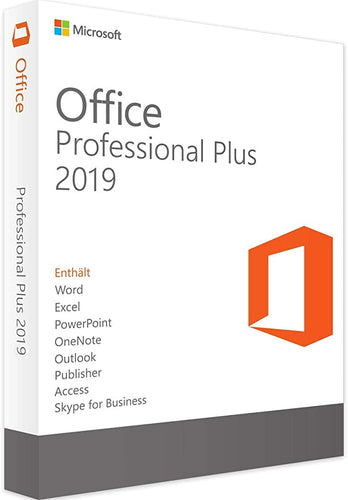
- Regular price
- £19.98
- Sale price
- £19.98
- Regular price
-
- Unit price
- per
Sold out -
Microsoft Office 2021 Professional Plus
![Microsoft Office Professional Plus 2021 single image]()

- Regular price
- £29.99
- Sale price
- £29.99
- Regular price
-
- Unit price
- per
Sold out -
Microsoft Office 2019 Professional Plus
![Microsoft Office Professional Plus 2019 Single Image]()

- Regular price
- £19.99
- Sale price
- £19.99
- Regular price
-
- Unit price
- per
Sold out -
Microsoft Office Home & Student 2016
![Microsoft Office Home & Student 2016]()

- Regular price
- £15.99
- Sale price
- £15.99
- Regular price
-
- Unit price
- per
Sold out -
Microsoft Office 2021 Standard
![Microsoft Office Standard 2021]()

- Regular price
- £29.99
- Sale price
- £29.99
- Regular price
-
- Unit price
- per
Sold out -
Microsoft Office 2021 Professional Plus Bind
![Microsoft Office Professional Plus 2021 Solo Product]()

- Regular price
- £104.99
- Sale price
- £104.99
- Regular price
-
- Unit price
- per
Sold out -
Microsoft Office 2016 Professional Plus Bind
![Microsoft Office Professional Plus 2016 Single product]()

- Regular price
- £18.99
- Sale price
- £18.99
- Regular price
-
- Unit price
- per
Sold out -
Microsoft Office 2016 Professional Plus
![Microsoft Office Professional Plus 2016 single image]()

- Regular price
- £17.99
- Sale price
- £17.99
- Regular price
-
- Unit price
- per
Sold out


